Loading...
Tampilkan postingan dengan label Smartphone. Tampilkan semua postingan
How to Install XAPK on Android Smartphone

How to Install XAPK on Android Smartphone

Februari 24, 2018 Add Comment
Android smartphone can work very sophisticated, it is because of the variety of applications. The most popular app format is APK. Which is rare, among them is XAPK. For those of you who do not know what is XAPK and how to install it, I will discuss in this article. Let's see how to install XAPK on android smartphone!

What is XAPK?

How to Install XAPK on Easy Android Smartphone

Before getting into step how to install it, I want to tell you first what is XAPK. XAPK is a new format for Android apps, where this format is a combination of APK and OBB. So obviously a friend, the purpose of this new format is to make it more practical.

APK alone, of course, you would already know, namely the Android application format. Then OBB is the data to add large apk supporters, such as videos or textures that cannot be entered in the APK. Well, obviously is not it? If it is clear, now how easy to install As follows...

Step How to Install XAPK

Step - 1

Install the first android app called "XAPK Installer" on Google Play store.

Step - 2

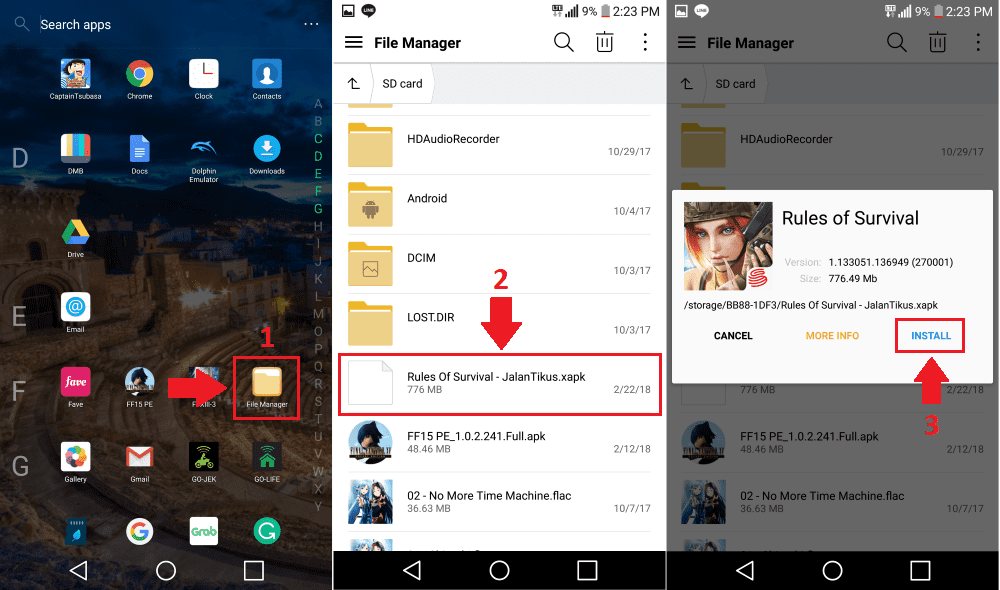
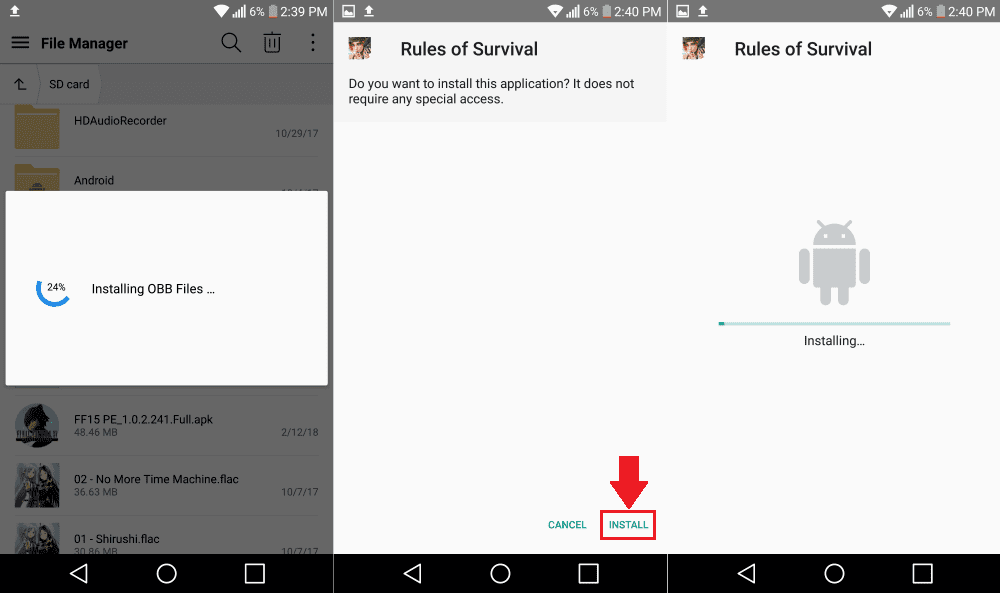
Go to "File Manager", then locate the file "XAPK" you want to install (usually in the "Download" folder ). Click, as usual, it will pop up, click "Install".
how-install-xapk-2

Step - 3

Wait for the "installing OBB Files" process to complete. If so, do APK installation as usual in general. Completed, that's how to install an easy XAPK on your android smartphone.
how-install-xapk-3ok

Problems Cannot Install XAPK

Like installing an APK in general, installing XAPK is not detached from the name of the problem. Well for those who have problems when installing XAPK, do not worry because Jaka will try to provide the solution for you. Here's the solution ...

An application with XAPK format, generally has a large size, some even up to 5GB. For that, you need the remaining space deviation ( internal storage ) is large. If the remaining storage space is not enough, it will display an "Insufficient Storage" warning. Where the solution to solve it, is to delete some data that you have not used.

The final word

Well, that's how to install an easy XAPK in android smartphone. Generally, apps with XAPK format are used for games. So for you who are android gamers, hopefully this article useful for you

4 Best Horror Games with Good Storyline on Smartphone

4 Best Horror Games with Good Storyline on Smartphone

Februari 23, 2018 Add Comment
Horror game genre is fun to play, to test the adrenaline as well as train the heart muscle. How come? Jumpscare seems to be a thing that continues to stick to the game and the horror film. If my friend is interested to test your guts by playing mobile game horror genre at night, here is a list of game titles you can consider. 

1. Limbo

Limbo

This one game is available in minimalist monochrome graphics. In Limbo, the player acts as a boy looking for his missing sister. In addition to solving the puzzle, in this game, the player should be able to avoid the traps and naughty children. Although the game is fairly short, the atmosphere that brought can be quite tense enough.

2. Mental Hospital (I-IV)

Mental Hospital IV

Mental Hospital IVThis game is horror survival genre, with graphics that are quite stunning for a mobile game. Players are stuck in a variety of different environments and must be freed from a pretty creepy atmosphere. Beware of various jumpscare with sound effects that support when playing this game.

3. Dark Corridors 2

Dark Corridors 2

This game is suitable for endless running game fans. This game tells the story of a girl's suicide and the aftermath. There are four characters in this game, with four different missions, and three of them must be unlocked first in the game. In the beginning, the story presented by this game may not feel so tense. However, the longer the red threads of each story will present the darker the facts. 

4. Stay With Us

Stay With Us

Another horror survival game, where the story has a concept story about a girl who has died. Players will move to the cemetery where the main characters used to play as a child. Players must try to escape from the pursuit of the ghost of the girl and escape from the dark cemetery. Not to forget, various kinds of jumpscare was ready to surprise my friend during the game.
6 Best Smartphones For Photography in 2018

6 Best Smartphones For Photography in 2018

Februari 21, 2018 Add Comment
In choosing a smartphone that is suitable for photography, you can consider several things. Choose a smartphone that has dual cameras, Optical Image Stabilization (OIS) and a high DxOMark rating. Pay attention to 3 (things) that and you will get a smartphone that is suitable for photography.

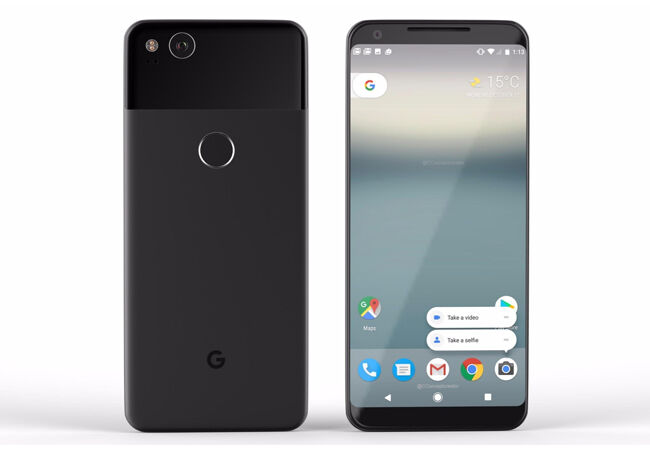
1. Google Pixel 2

Google Pixel 2

This smartphone is great for photography. With the value of DxOMark 98, the resulting image is sharper and the color quality is also clearer. In the midst of dim light, the image quality has not changed much. Indeed, the quality of the image is somewhat reduced when you use the zoom for medium range.

By using this smartphone you will get a single camera facility: 12MP sensor with f / 1.8 aperture, OIS, HDR + Software and dual pixel autofocus. All the facilities that make this smartphone to be one of the best smartphones for photography.

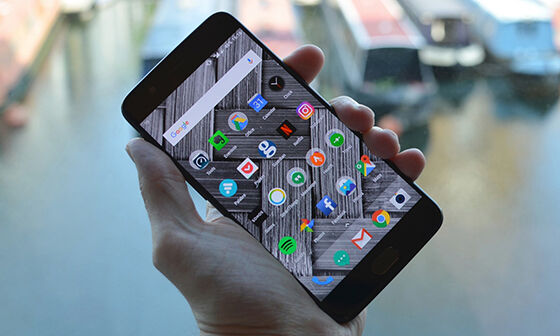
2. One Plus 5

One Plus 5

With dual quality super cameras, this smartphone is the best for photography. With a 16-megapixel f / 1.8 aperture camera and 20-megapixel f / 2.6 aperture camera and DxOMark 87, this smartphone is called a sniper nickname. With the facility, you will get a photo with a stunning color balance. Another advantage of this smartphone is able to record video with video capture facility 4K 2160p / 30 frames per second (FPS). Steady guys?

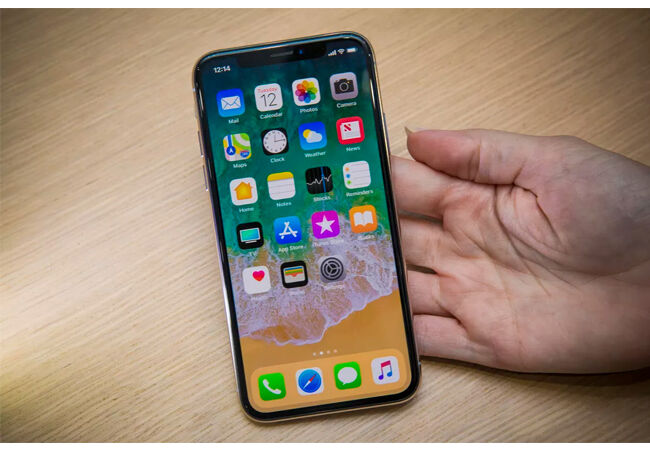
3. Apple Iphone X

Apple Iphone X 

The DxOMark of this smartphone is 97. The high number is generated from dual cameras (12-megapixel f / 1.8 and f / 2.4) and OIS that makes photos sharper than the previous series. For video, this smartphone provides 4K and 60 FPS. With all these facilities, this smartphone is one of the best for photography.

In the even dim light, the resulting image can be sharp. The downside is the sharpness of the photo when you use the zoom. Another drawback is the price. You need calculations if you want to buy this smartphone because it is expensive.

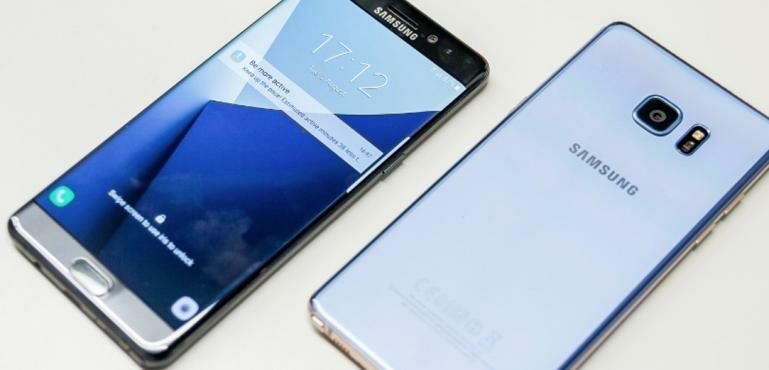
4. Samsung Galaxy Note 8

Samsung Galaxy Note 8

High quality, affordable price and DxOMark 94 are the advantages of this smartphone. You will get dual camera facility (12 megapixels) with two 2x optical zoom sensor. With all that, this smartphone is called the best in taking photos with zoom. What is more fun is that this series will not explode like its predecessor? For video, this smartphone provides 4K and 30 FPS. 

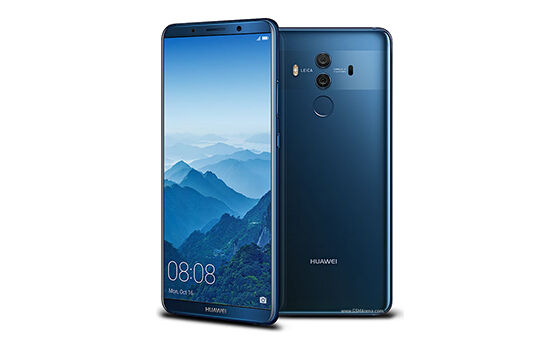
5. Huawei Mate 10 Pro

Huawei Mate 10 Pro

With the DxOMark 97 rating, the smartphone is one of the best camera smartphones. With dual cameras (12 megapixels and 20 megapixels) each equipped with a color sensor makes the photo sharper. Photo quality in bright and dim light is just as good as it comes with dual tone LED flash .

The weakness is almost owned by another smartphone camera that is less good picture quality when using the zoom. Although not perfect, you do not have to worry because there is 2x lossless zoom which will add photo quality.

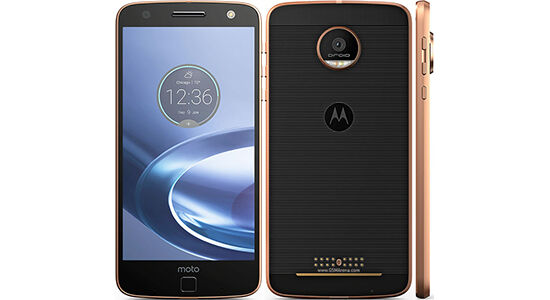
6. Moto Z Force

Moto Z Force

Maybe DxOMark smartphone is low, only 87 but you need not hesitate because Moto Z Force is one of the best camera smartphones. With a 21MP camera, you can produce great photos in all conditions. Although the shutter speed is low (1/10) but there is an IOS that will offset.

If still not satisfied, you can equip it with Moto mods. Add Hasselblad True Zoom to get 10x Optical Zoom. Unfortunately, the price of the mods is almost equivalent to the price of its own smartphone. No need to worry, because without Moto mods even this smartphone has produced a good photo.
7 Gadget That Will Make Your Smartphone More Sophisticated

7 Gadget That Will Make Your Smartphone More Sophisticated

Februari 19, 2018 Add Comment
Smartphones or smartphones are the latest in communication technology today. However, smartphone intelligence is claimed to still be smarter if added with some specific gadgets. In fact, certain gadget additions make the smartphone operable to do other things like find a lost car, lock and unlock the door of the house, become a personal assistant , and other tasks. Well, this time I will discuss 7 gadgets that will make your smartphone more intelligent.

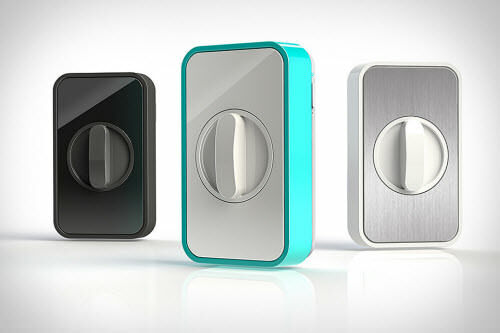
1. Lockitron


Lockitron not only allows you to open the door with just one touch on the smartphone, but can also tell you when someone is knocking on the door. In addition, you can also set the schedule to open and lock automatically, so you no longer need to bother to open and lock the door every day.

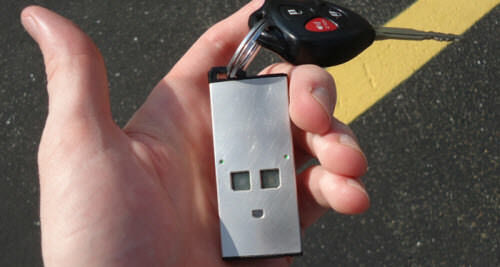
2. Tōd


This sophisticated gadget works to monitor or track cars, animals, and humans. The trick is to first connect this TODO device to the smartphone , then place it on the goods or animals to be monitored. Then you will also get a notification via email or SMS to smartphone when there is an unscheduled or suspicious trip so you can keep track of its existence anytime.

3. Sensordrone


Sensordrone is a computer sensor that will collect vital information around the environment, such as air quality, gas leakage, temperature, humidity and so on . In fact almost all information about the surrounding environment can be felt. This is certainly good when in a new environment or when traveling far.

4. ICEdot's Crash Sensor


With ICEdot's Crash Sensor you will be calmer while driving because this device will automatically notify you of emergency contacts and send GPS coordinates when you have an accident. In addition to being placed on a helmet when driving, this device can also be used on hard athletes at risk of hard collisions.

5. Misfit Shine


Misfit Shine will monitor the condition of the body, when you do activities or long trips. Then automatically Misfit Shine will send a notification via smartphone that contains about physical condition and body fitness. This device will also remind you if the physical condition is not supported for the move and suggest to rest.

6. Health Appliances


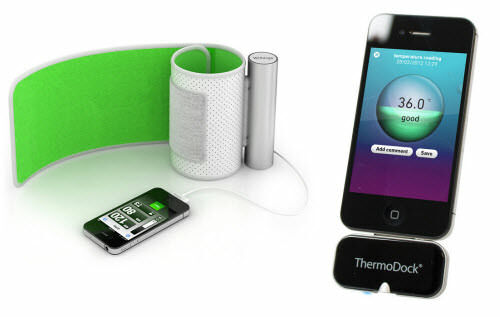
This device will monitor your health conditions ranging from blood pressure, body temperature, and all that includes about the health of the body. After that the results will be automatically stored in the VitaDock application as a reference for examination to the doctor. Currently, Helath Appliances is one of the best health scanner devices.

7. Smart Baby Monitor


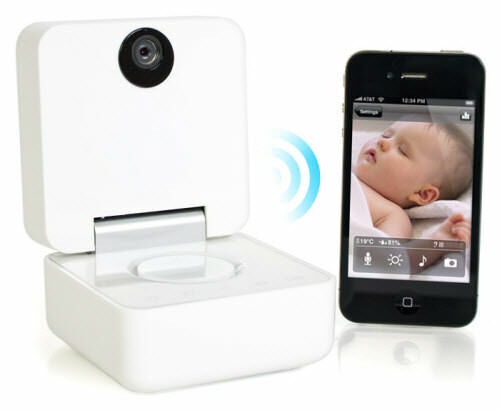
Smart Baby Monitor will send live streaming audio and video via smartphone. This device makes it easy for parents to keep an eye on their children whenever and wherever. Also with the support of WithBaby app , parents can keep an eye on their baby through a wireless connection as well as detect baby's activity and humidity at room temperature.
5 Ways To Increase Wifi Signal in Smartphones Without Installing Applications!

5 Ways To Increase Wifi Signal in Smartphones Without Installing Applications!

Februari 17, 2018 Add Comment
Smartphone is already supported with fast 4G LTE signal. However, it is not enough to just use data packets so that many people who use WiFi to install in their homes.

5 Ways To Increase Wifi Signal in Smartphones Without Installing Applications!

1. Place WiFi in Appropriate Place 

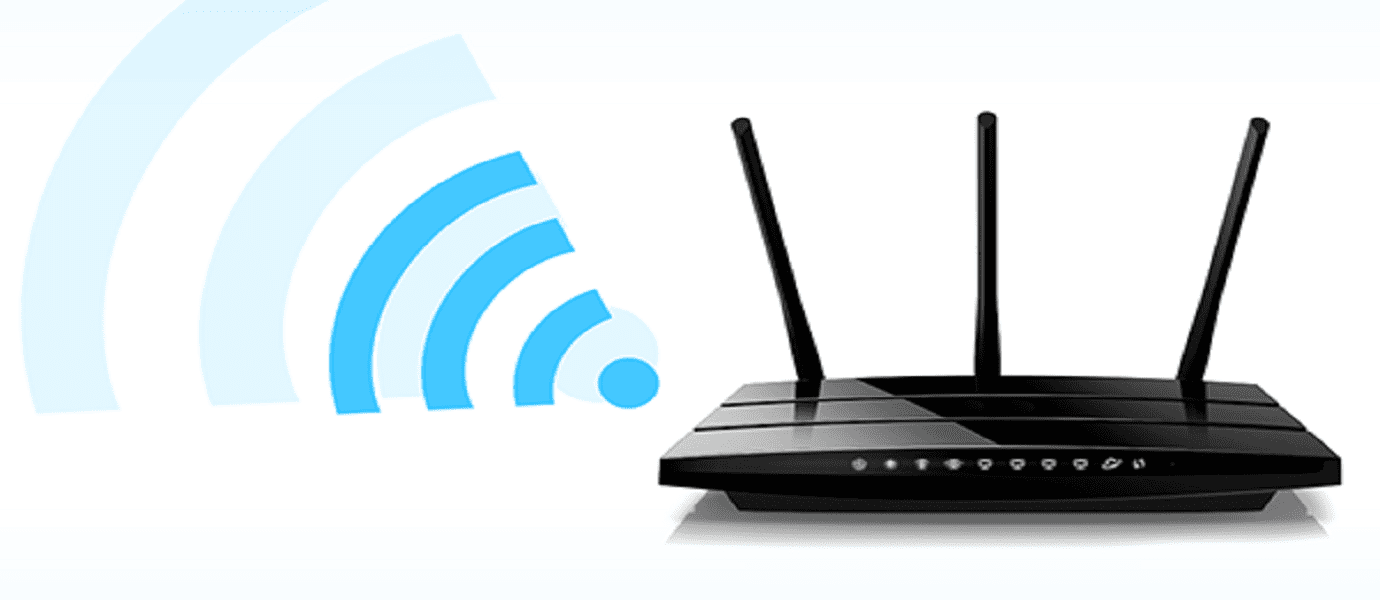
The first way is you can put your WiFi router in the open space. With this, then your WiFi will be protected from obstructions such as walls, cabinets, or doors that may be able to inhibit your WiFi signal.

2. Changing the WiFi Password

If you have a slow WiFi signal, your WiFi could have been burglarized someone by using wiFi wizard application on a smartphone. To fix this, you can change your WiFi password periodically and equip it with higher security.

3. Checking the Smartphone Case

The third tip, you can check your smartphone case if your WiFi signal is slow. This is because the WiFi antenna on the smartphone can be in front or rear that may be closed casing your smartphone .

4. Removing WiFi Network Storage

If you frequently visit a free WiFi place in many places, it will certainly make your smartphone will save WiFi network that will affect the performance of your WiFi smartphone signal. So you have to delete the old WiFi list that you may not use anymore for your WiFi signal to work better.

5. Using Custom Kernel

If your smartphone is custom kernel available, you should use it so your smartphone can receive WiFi signal with maximum. This is because custom kernel will provide many improvements and tweaks to be able to increase your smartphone signal or your WiFi signal strength.